
Following on from last month you will hopefully have set up your Business Pinterest account. Here are the next steps to follow.
A fact you might find interesting is that one of your Pins has a life 1600 times longer than a Facebook post! Your content can pop up in the Pinterest feed many months after you have posted it, this happens very often so it’s a great idea to get your Pins out there to be discovered well into the future.
Now that your account is set up, complete your profile on your Business Account.
● Enter your Business name.
● Upload your Logo or Headshot.
● Fill in your Bio and make sure to include any key words that might be relevant in a search.
● Add your location and your website details.
It’s a good idea to add a ‘Pin It’ browser button to your task bar to make it easy to pin not only your own website items but other great images etc you come across. Many sites such as Folksy and Etsy have a Pin It button on each item page which makes life easy. This link will take you to Pinterest with instructions how to add to your task bar, it’s very simple to do: https://about.pinterest.com/en/browser-button
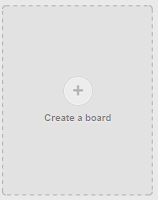
You will see that your home page has a box with the words ‘Create a Board’ This is your invite to make your first board, and then as many boards as you like. You’ll find this will grow after time as you have more brilliant ideas for boards to create. It’s a good idea to cover other interests with boards that will attract people to follow your account; they will then also get to see your item/sales pins in their news feed.
Some board ideas might be:
● ( Your Shop Name ) for items you can upload with a link to your website/Folksy/Etsy etc
● Inspiration Board
● Sold Items by ( Your Shop Name )
● Commission Items by ( Your Shop Name )
● Tutorials
● Colour Mood Boards
The Title of your boards is important when it comes to being found in Pinterest search, so take a few minutes to use keywords that you think people will be searching for. For example if you are setting up a board for your own shop add what you are making as well, e.g. Jewellery, Cards, Knitwear …
The list of boards is endless, maybe set up 8-10 to start off with.
So, we’ve opened your account, filled in your profile, added a Pin It button to your Task Bar and created some boards. Next time we’ll move onto filling these gorgeous boards as well as networking and joining group boards on Pinterest, plus the Analytics feature now available.
A fact you might find interesting is that one of your Pins has a life 1600 times longer than a Facebook post! Your content can pop up in the Pinterest feed many months after you have posted it, this happens very often so it’s a great idea to get your Pins out there to be discovered well into the future.
Now that your account is set up, complete your profile on your Business Account.
● Enter your Business name.
● Upload your Logo or Headshot.
● Fill in your Bio and make sure to include any key words that might be relevant in a search.
● Add your location and your website details.
It’s a good idea to add a ‘Pin It’ browser button to your task bar to make it easy to pin not only your own website items but other great images etc you come across. Many sites such as Folksy and Etsy have a Pin It button on each item page which makes life easy. This link will take you to Pinterest with instructions how to add to your task bar, it’s very simple to do: https://about.pinterest.com/en/browser-button

You will see that your home page has a box with the words ‘Create a Board’ This is your invite to make your first board, and then as many boards as you like. You’ll find this will grow after time as you have more brilliant ideas for boards to create. It’s a good idea to cover other interests with boards that will attract people to follow your account; they will then also get to see your item/sales pins in their news feed.
Some board ideas might be:
● ( Your Shop Name ) for items you can upload with a link to your website/Folksy/Etsy etc
● Inspiration Board
● Sold Items by ( Your Shop Name )
● Commission Items by ( Your Shop Name )
● Tutorials
● Colour Mood Boards
The Title of your boards is important when it comes to being found in Pinterest search, so take a few minutes to use keywords that you think people will be searching for. For example if you are setting up a board for your own shop add what you are making as well, e.g. Jewellery, Cards, Knitwear …
The list of boards is endless, maybe set up 8-10 to start off with.
So, we’ve opened your account, filled in your profile, added a Pin It button to your Task Bar and created some boards. Next time we’ll move onto filling these gorgeous boards as well as networking and joining group boards on Pinterest, plus the Analytics feature now available.


